Image Generation
Miniature Me Sitting on Giant Shoes
Generates a realistic UGC-style photo with forced perspective: a miniature version of you sitting on or interacting with giant shoes and legs, creating dramatic…
yssryaae15 uses
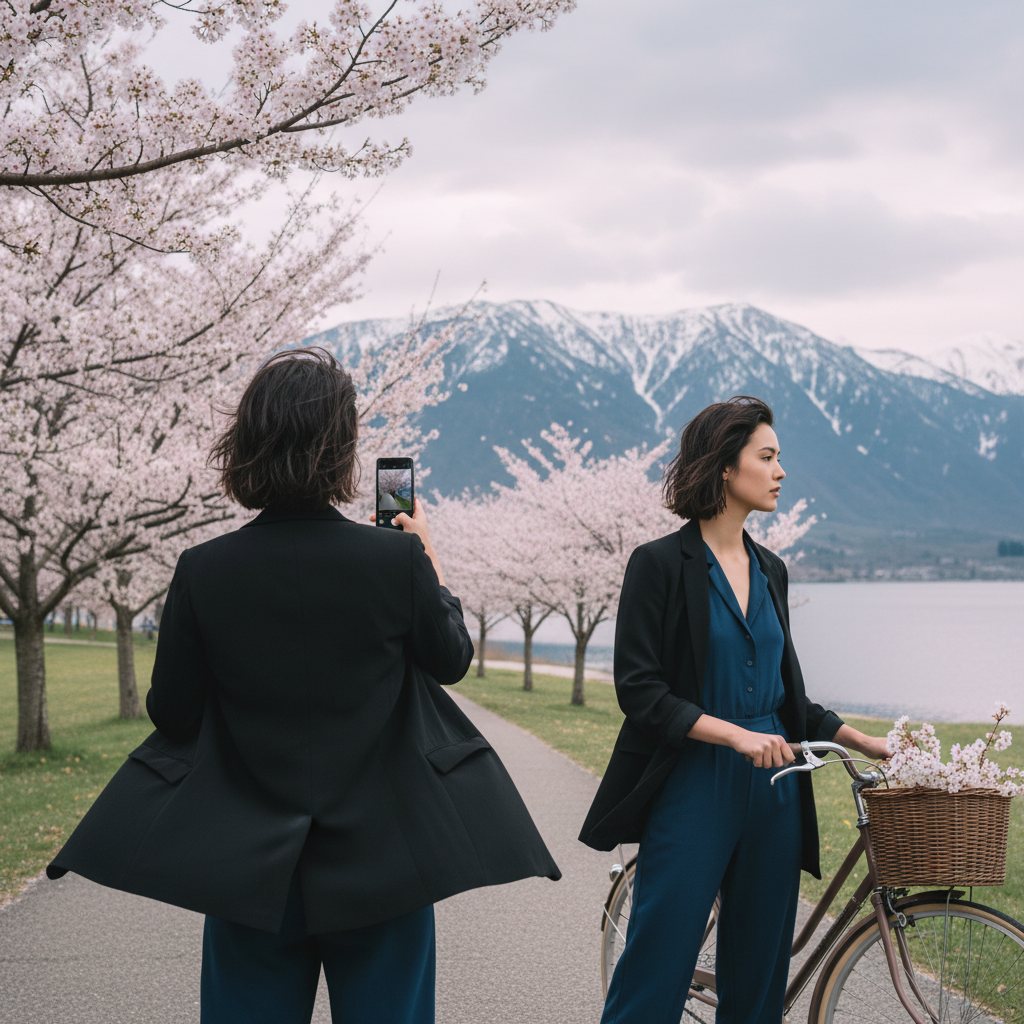
Use [Upload your photo] as the main reference and keep the original photo almost unchanged. Extend the frame outward as a natural zoom-out reveal of the same exact scene. Keep the girl being photographed in the same position, same outfit, same location, same styling, and do not change the original reference composition in any major way. Add a second version of me in the foreground from the back, on the front plane of the image, clearly holding a phone and taking this exact photo. Very important: the back-view version of me must stay in the foreground, but show slightly more of her body from behind, with a wider view of her figure, while still not blocking or covering the main version of me in front. The main photographed version of me must remain fully visible and unobstructed. Adjust the angle and spacing so the photographer-me is still on the front plane, but positioned in a way that does not hide the second me. Keep the same outfit, same hair texture, same mood, same street, same building, and same overall candid editorial feeling. This should look like the same original image, only slightly pulled back to reveal more of the back-view figure. Do not redesign the outfit, do not restyle the scene, do not create a new composition. Realistic perspective, seamless continuation, natural distance, believable phone pose, clean details.
This prompt includes fill-in-the-blank fields. Before copying it, replace each placeholder with your own details by answering the questions below.
Generates a realistic UGC-style photo with forced perspective: a miniature version of you sitting on or interacting with giant shoes and legs, creating dramatic…
Generate a photorealistic image of a person interacting with an oversized coffee cup while preserving their exact appearance from an uploaded reference photo.
Transform the person in the reference photo into a dynamic Japanese football anime character inspired by the classic visual language of Captain Tsubasa (Captain…
Transforms a photo into a handcrafted collectible doll holding an oversized KitKat, with detailed facial replication and whimsical chocolate-smudged styling.
Generates a cinematic movie poster with dramatic composition, featuring a central figure making a shush gesture before a crowd, complete with title and credits.
Generates an ultra-realistic conceptual portrait of a person seated, wearing orange hoodie and sweatpants with white sneakers, based on a reference photo.
Browse the full PromptiFex library or get the app for prompts on the go.